TripScript app icon 1.11Now on the Mac App Store · Made for iPhone Duo

Every trip startsas a daydream.

Drop in a flight confirmation
and watch it become a plan.
Booked
Boarding pass · TripScript
From
Inbox chaos
To
A real plan
Passengers
You + crew
Price
Free
Devices
iPhone · iPad · Mac
Parsed
On-device
Gate
App Store
Download
No account · No tracking
What's new // 1.10 → 1.12, and what's boarding next in 1.13

Fresh off the runway.

Four releases in five weeks. Forward a booking from any mail app, chat with your crew inside the trip, plan on the Mac and on iPhone Duo. Next up in 1.13: your trips in your calendar, stops along your route, cards that know a concert from a museum, and packing lists for the whole crew.

New · Pro

Email to TripScript: your own forwarding address

Turn it on and TripScript mints a private address that's yours alone. Forward any booking email to it, from any mail app on any device, or let a Gmail filter do it for you. It lands in the Document Inbox with a push notification, ready to read into a trip. Our inbox holds a message only until your app collects it, then deletes it.

New in 1.11

Made for iPhone Duo

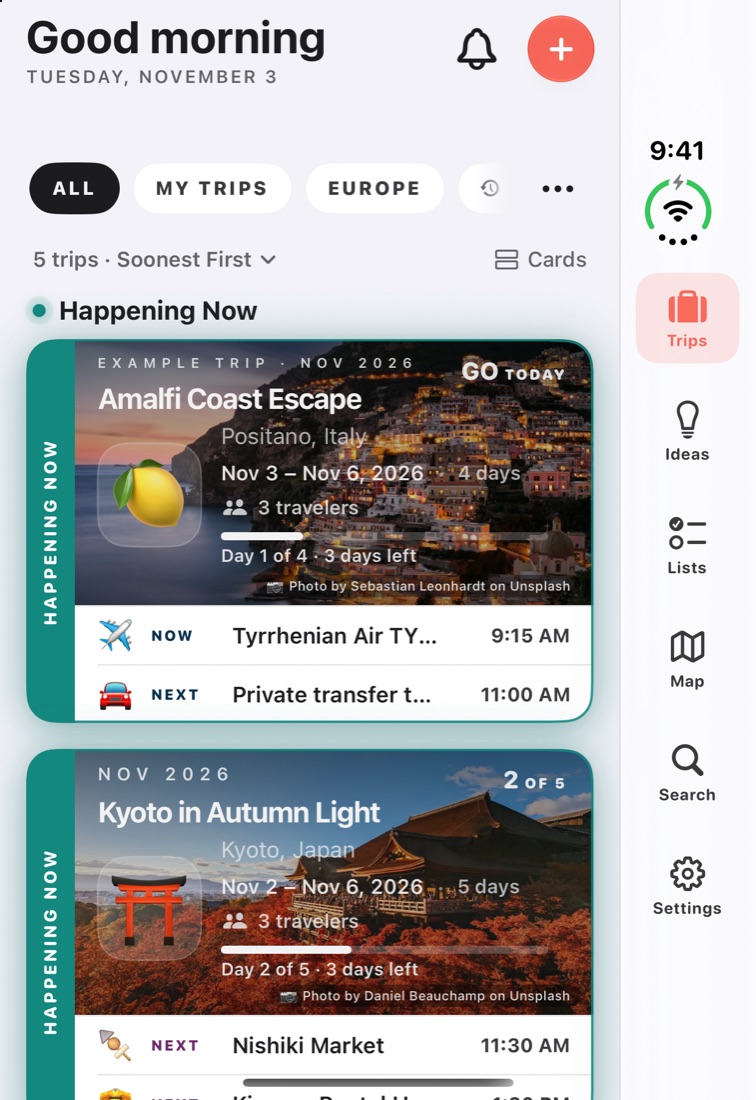
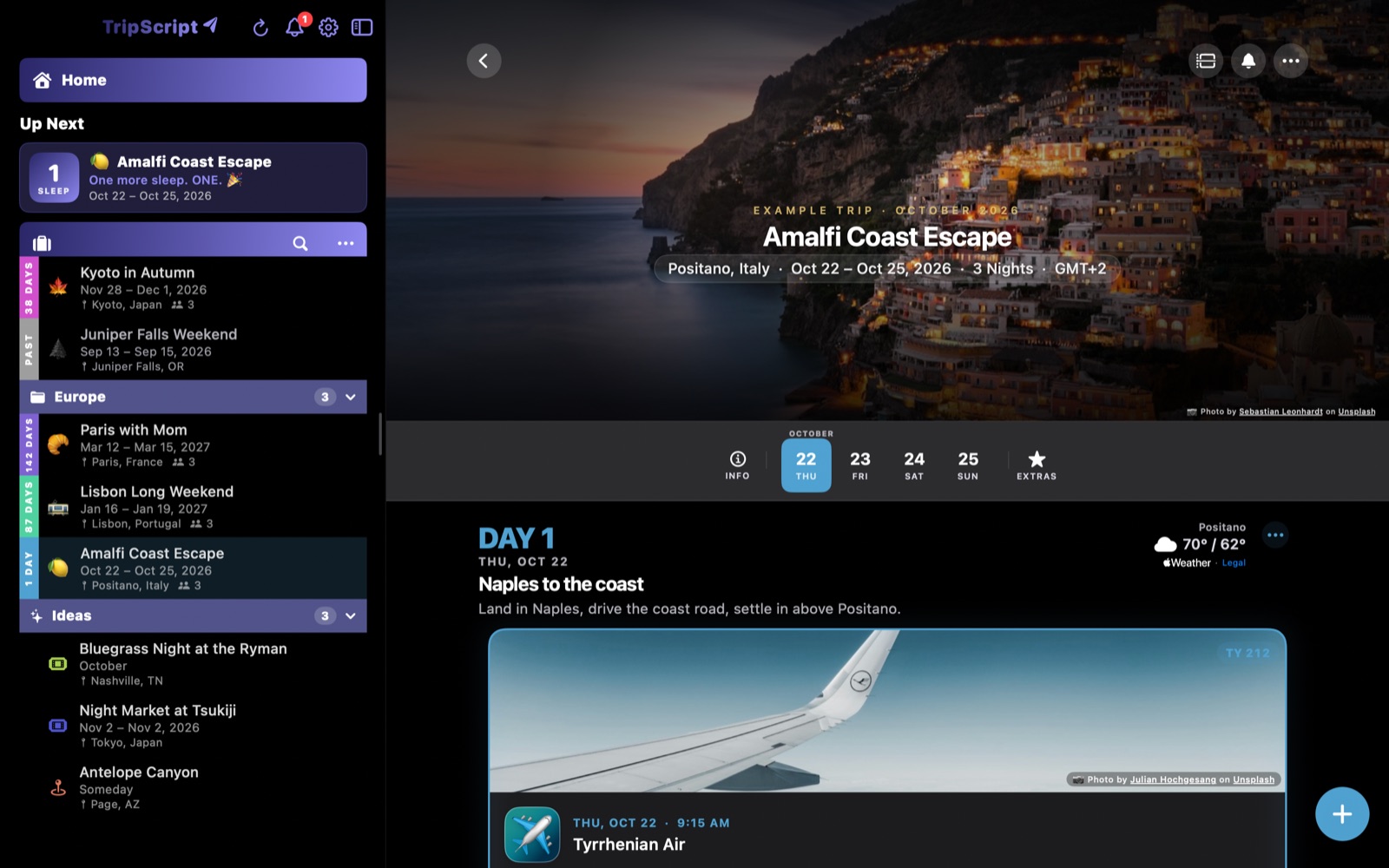
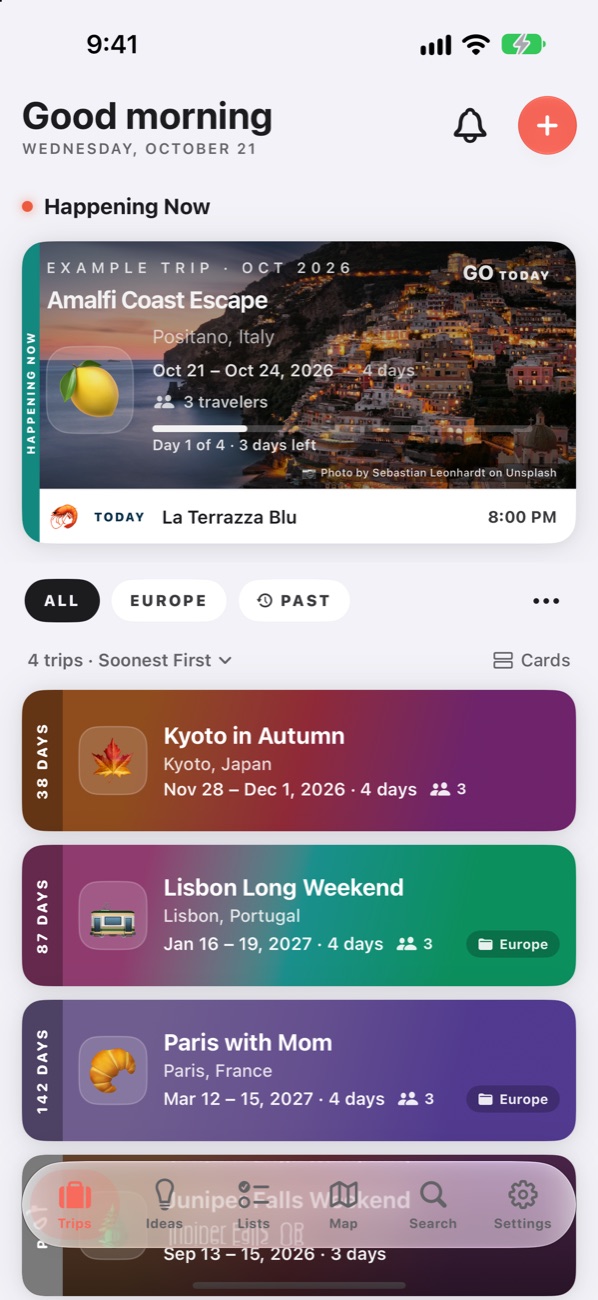
Closed, TripScript is your phone: the trip fills the screen and the tab bar stands in the column beside the camera. Open it sideways and the planner unfolds: a sidebar of every trip, the itinerary beside it, lists and ideas in the main panel. It follows you as you fold and unfold, mid-trip and mid-edit.

New

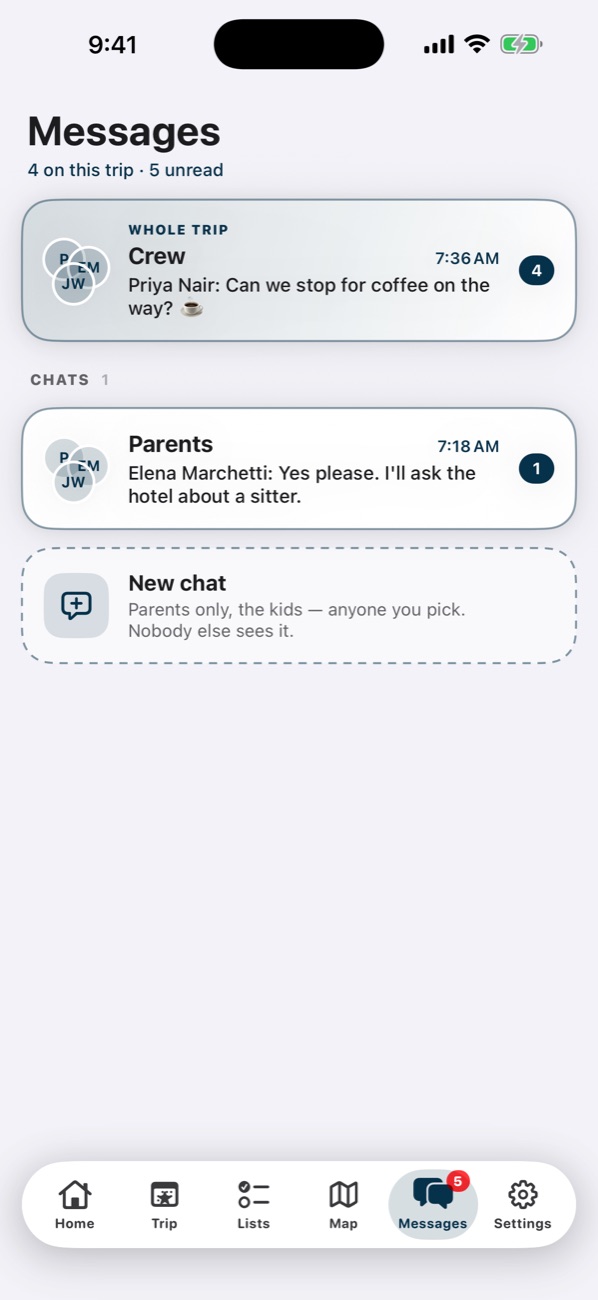
Trip Messages

Every trip has a crew thread, and you can start named chats with any subset of the crew: parents only, the kids, whoever you pick. New messages show up in the bell with the trip and who wrote. Stored in the trip's own iCloud share, never on our servers.

New

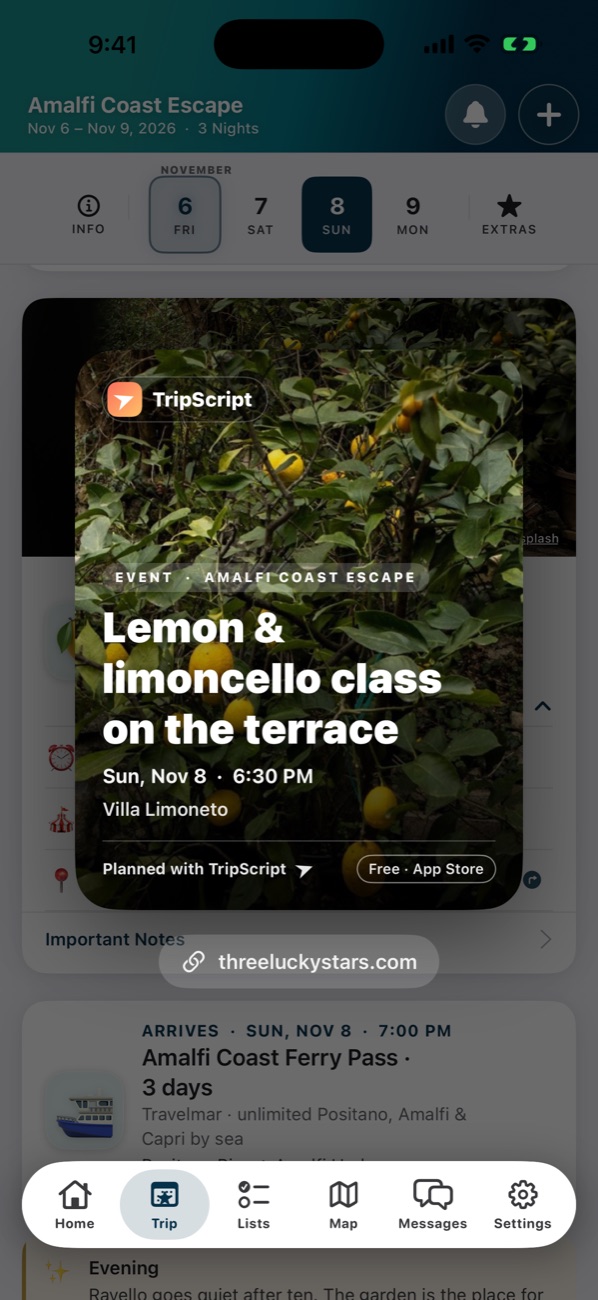
Share it as a poster, or as a link

Any card becomes a share-ready poster with the photo, the time and the place. The whole trip becomes a web page: send the link and it opens in any browser, with a sticky day bar and a Day / All view. No app needed on their end.

New in 1.12

Hey Siri, what's next?

No setup. Ask Siri what's next, add to a packing list, or read back a confirmation number. Trips and cards show up in Spotlight, and Next Stop, Add to Trip and Trip Lists live in Control Center and on the Action button.

New in 1.12

Every import, reviewed by you

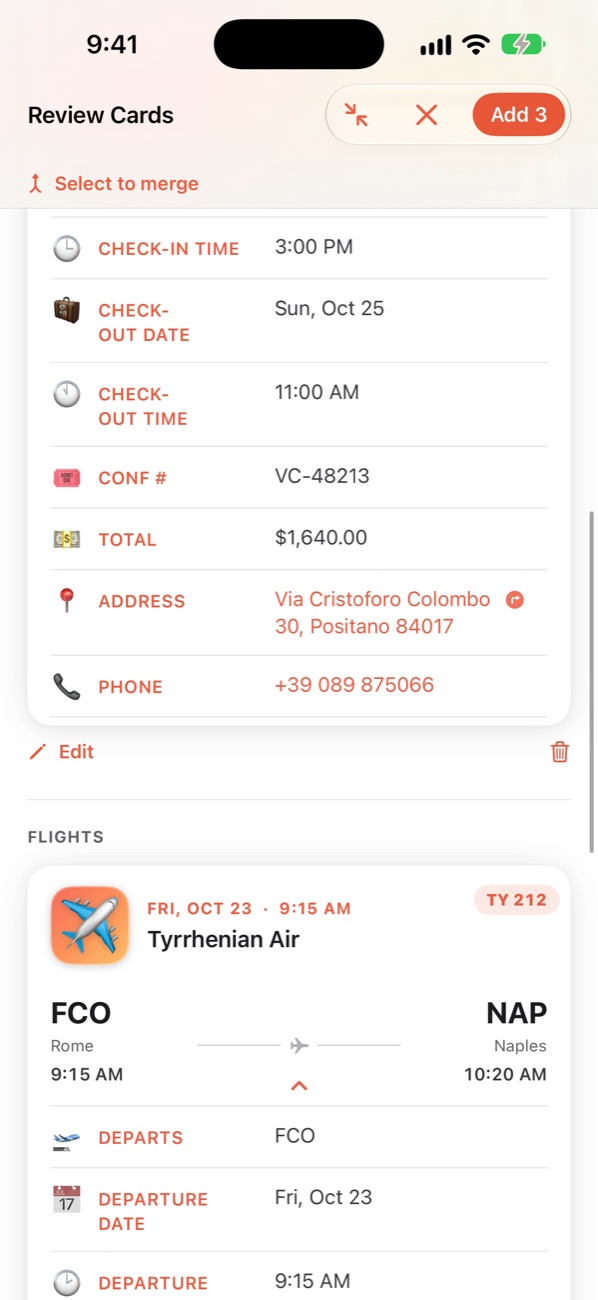
One Import flow everywhere: What → Where → Review Cards. From the share sheet, the bell, a forwarded email or a Finder drop, you see the cards before they land and merge, edit or drop them. Two rooms on one email become one stay. Nothing is ever added silently.

New

Lists get a home

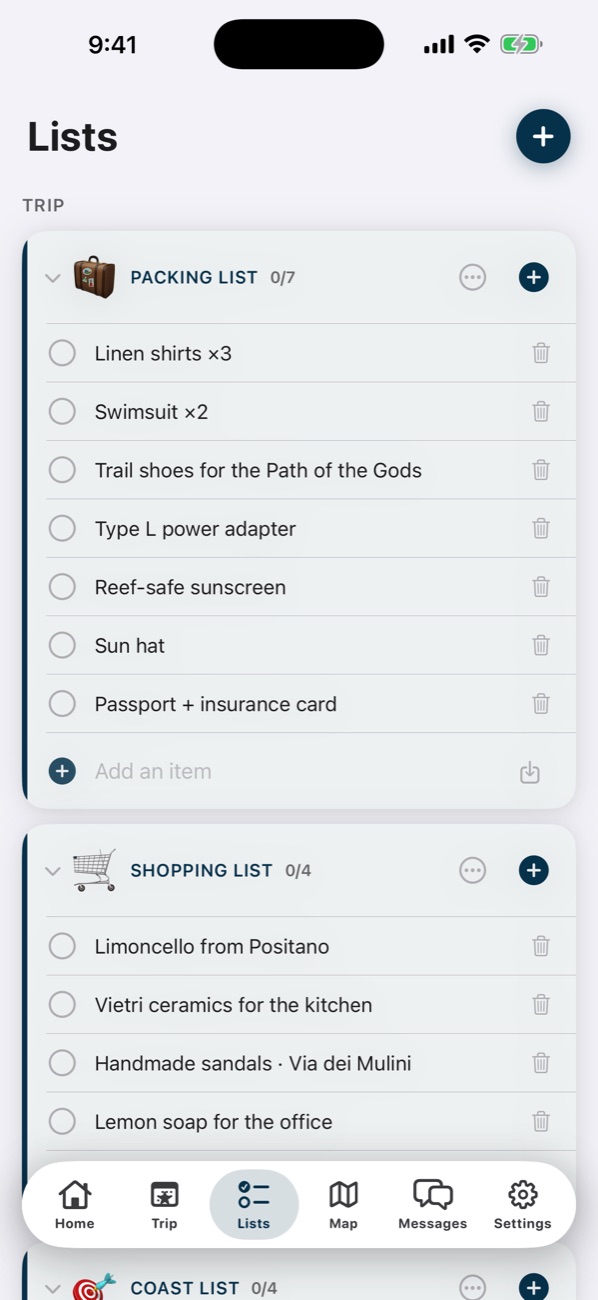
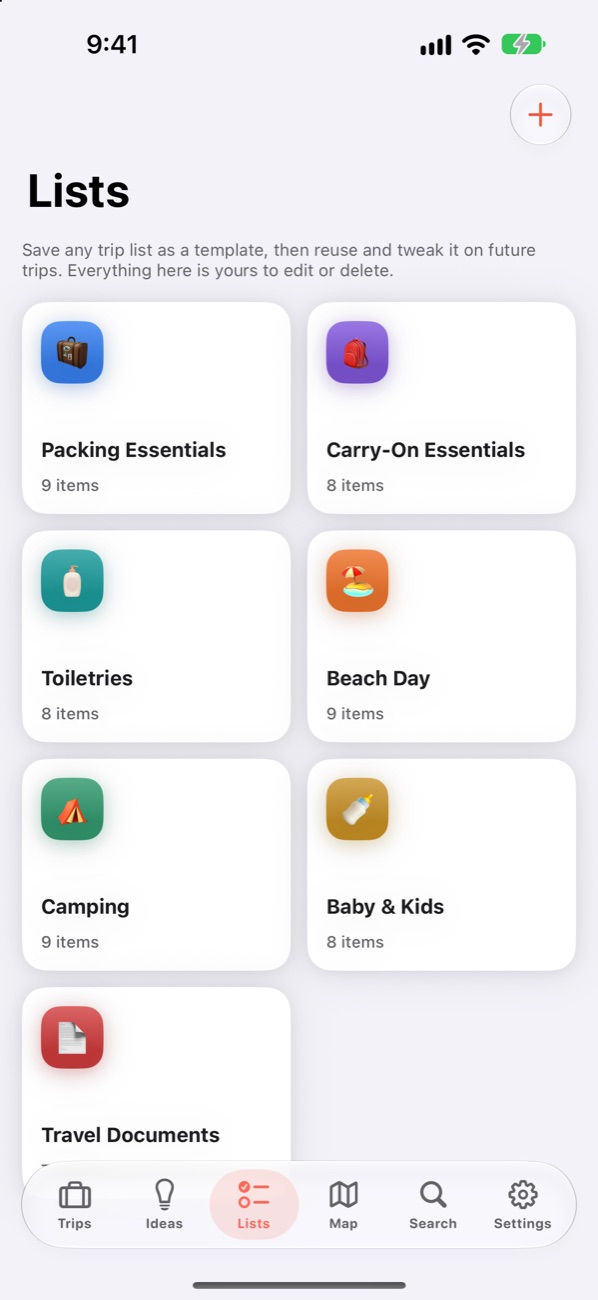
Packing, shopping and custom lists with templates and folders, a Lists tab on every trip, and packing suggestions from the forecast. On iPad, Mac and an open Duo a list opens right in the main panel.

Next · 1.13 · Pro

Trips in your calendar

Flip one switch and a TripScript calendar follows every trip: a banner for the trip and an event for each card, kept up to date as plans change. Each trip has its own switch, and TripScript only ever touches that one calendar.

Next · 1.13

Find Along the Way

On a road trip, open a drive and see food, gas, coffee and rest stops down your route, in the order you reach them. Look at them on a map, or pick a time and see what's near where you'll be then. Discover finds real places near any stop and adds one to a day in a tap.

Next · 1.13

Cards that fit what they are

A concert has doors and a seat. A museum has hours and timed entry. A train has a seat and a ticket link, a hotel has Wi-Fi and parking. Empty fields stay out of the way, and when you add a place from Discover, TripScript reads its hours from the place's own website.

New in 1.12

Backups you can look inside

Every backup on this device and in iCloud, listed with its trips. Preview one before you restore, and a wiped library can never overwrite a full backup. Plus: a reader that understands a document's layout even without Apple Intelligence.

New

Now on the Mac App Store

One purchase, three screens. Full sidebar planner, drag a PDF onto the window and it reads in the side tray, and Pro unlocks on every device signed into your iCloud.

Download on the Mac App Store
How it works // from chaos to itinerary

Stop re-reading your inbox.

The flight receipt, the hotel email, the screenshot of a dinner reservation, the email you forwarded. Hand them to TripScript and they land on the right day, in order, with the details you actually need. It never invents a booking. Anything it is unsure about is marked Not Booked until you confirm.

01Share sheet, from any app02Forward to your TripScript address03Drop a PDF or screenshot04Paste text or a link05Finder drop on the Mac
Flight confirmation
Hotel email · forwarded
Screenshot · dinner
PDF · ferry tickets
→Apple Intelligence · you review
Day 1 · Fri, Oct 2
FLT
Sunbeam Air SB 1009:15 AM · HOM → MGB · seats 12A, 12B
STAY
Check in · The Sandcastle Hotel3:00 PM · 3 nights · ocean view
DINE
Taco Tiki Hut7:30 PM · table for 4 · 12 min walk
TKT
Ferry pass · 3 daysPositano · Amalfi · Capri by sea
Features // postcards from the app

Plan it. Travel with it. Relive it.

Wish you were here? You will be. Here's what's inside.

Day
by day
01timeline

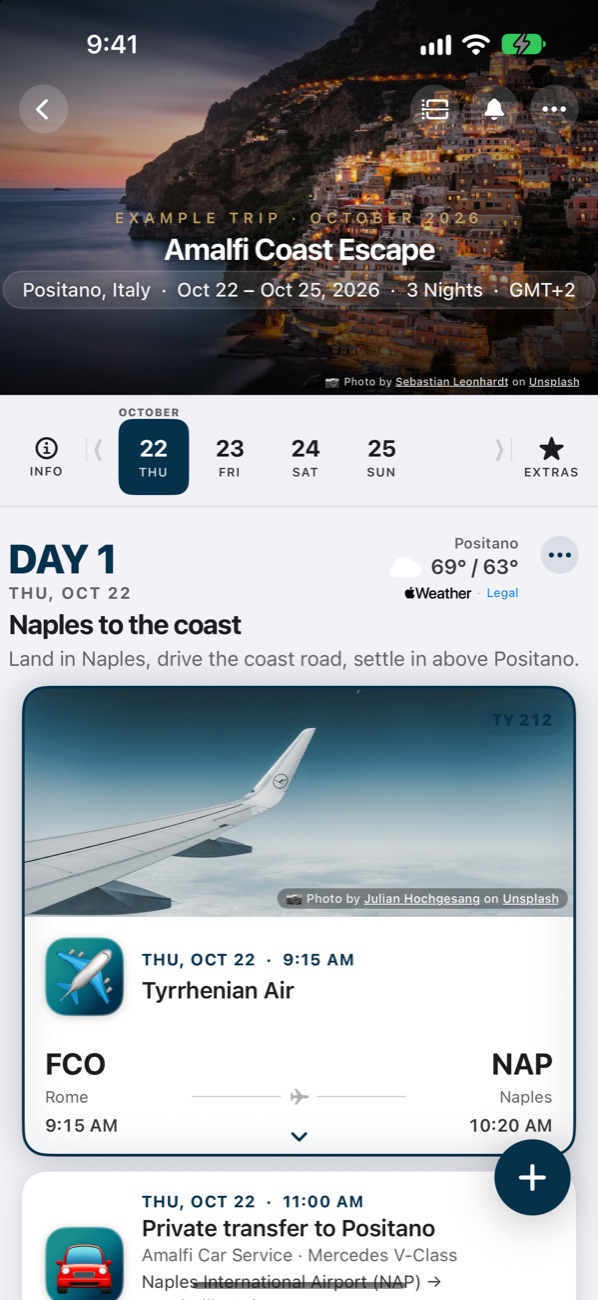
Every trip, one timeline

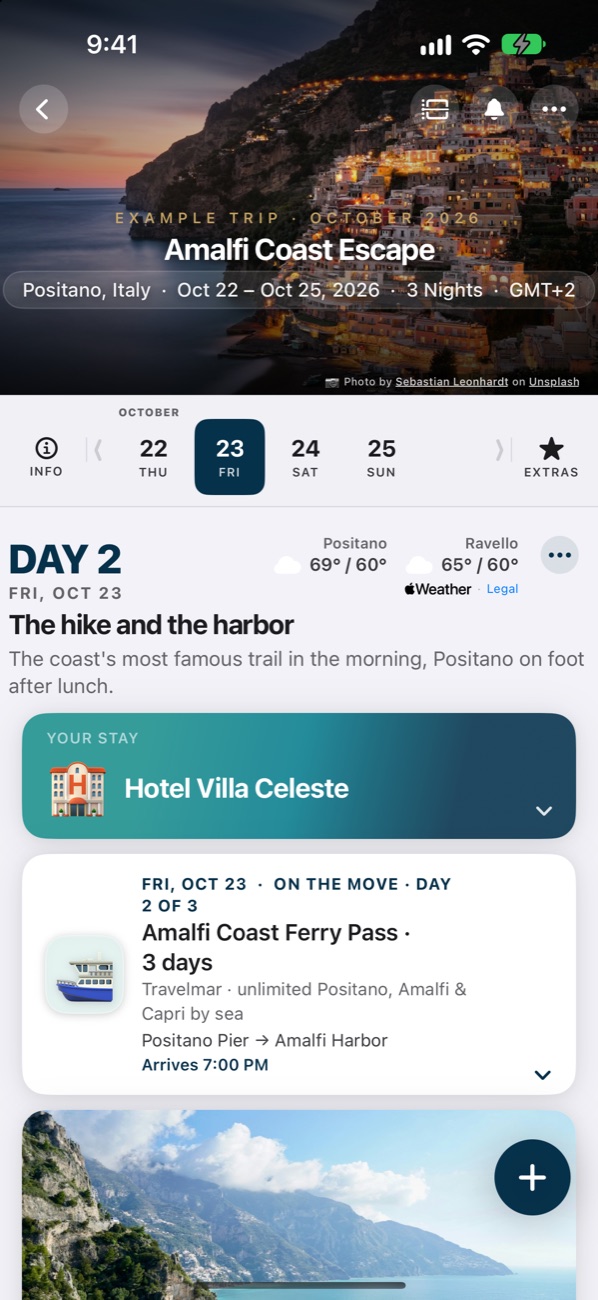
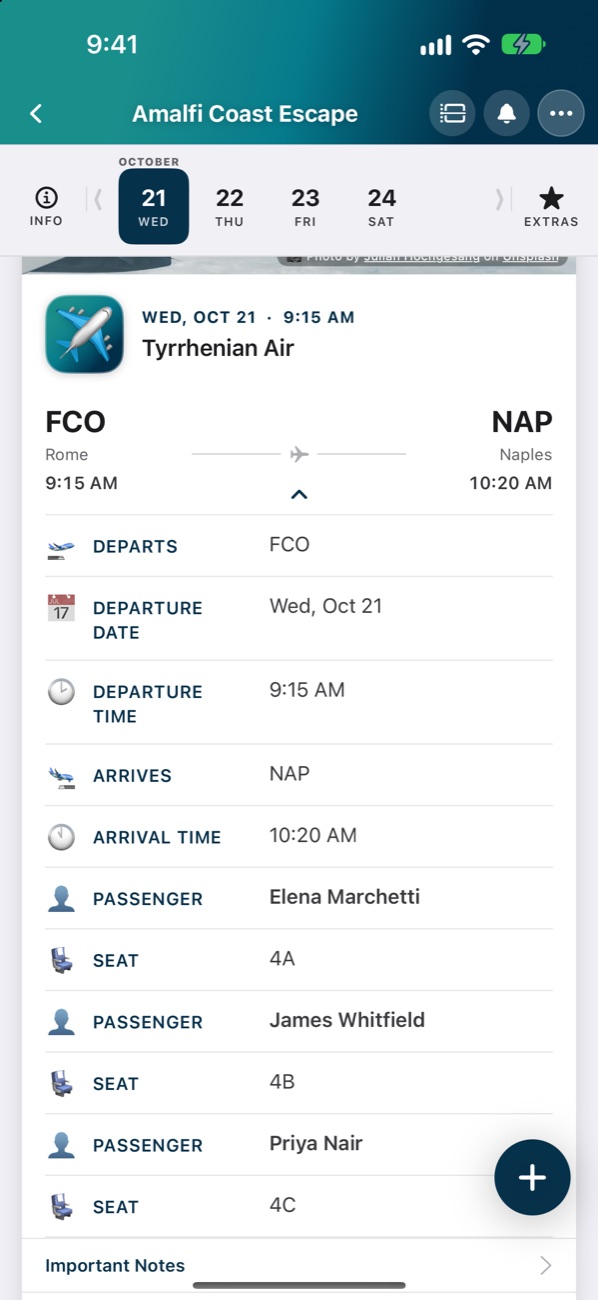
One pill per day. Tap it and everything is already there. Flights show who's flying and each seat, with live gates and delays. A stay becomes a check-in card, a nightly banner, and a checkout card. Drag to reorder, or snap it all back into time order.

Now &
next
02on the go

It travels with you

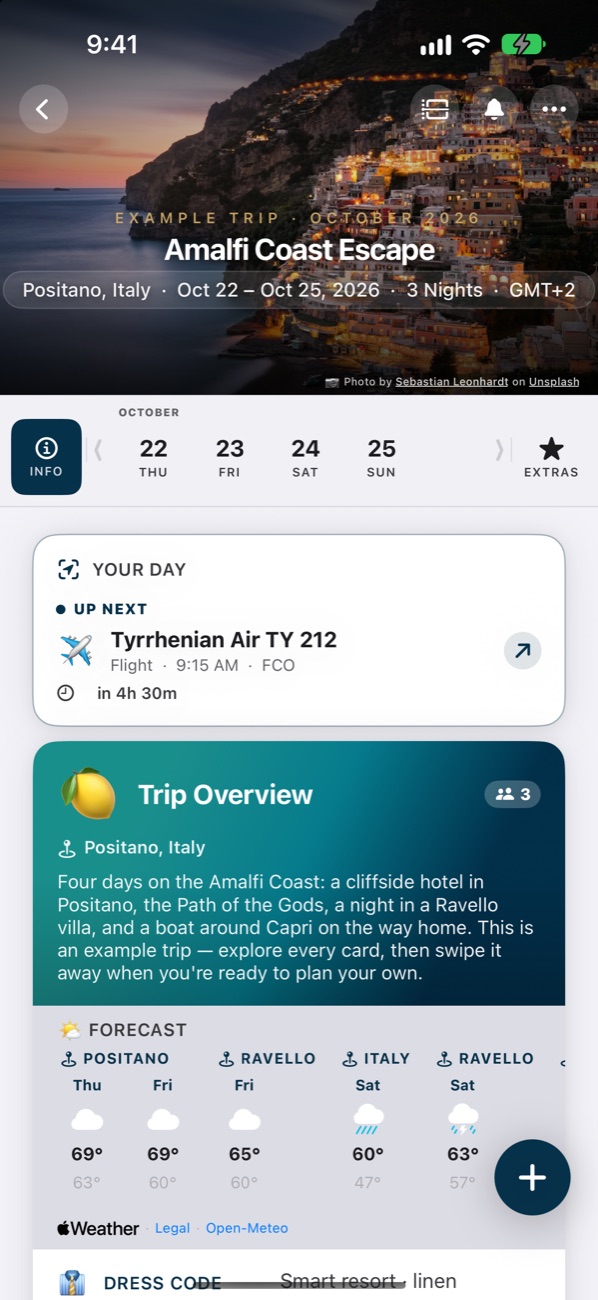
The forecast for every city you wake up in, directions a tap away, and Now & Next on your Lock Screen, in the Dynamic Island, on your Apple Watch, and as a Home Screen countdown widget.

Crew
votes
03together

Plan it together

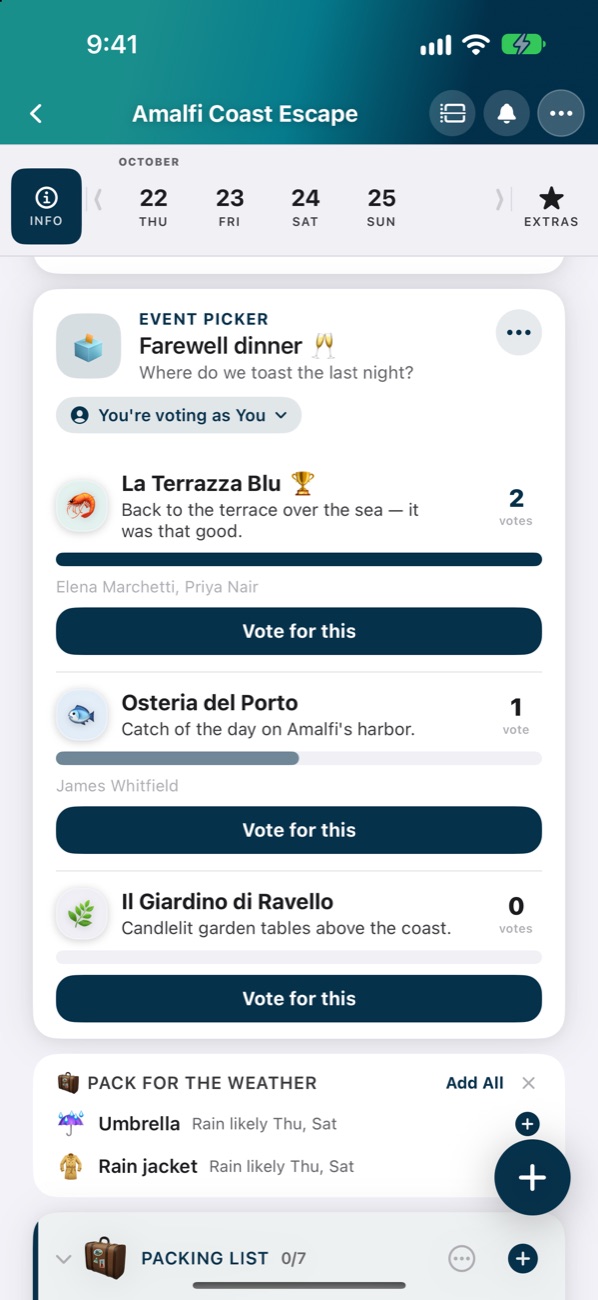
Invite your crew. The Pilot and co-pilots plan, everyone else can view, suggest, and vote on the big decisions. Talk it through in Trip Messages. Joining is always free.

Trip
tab
04the tab

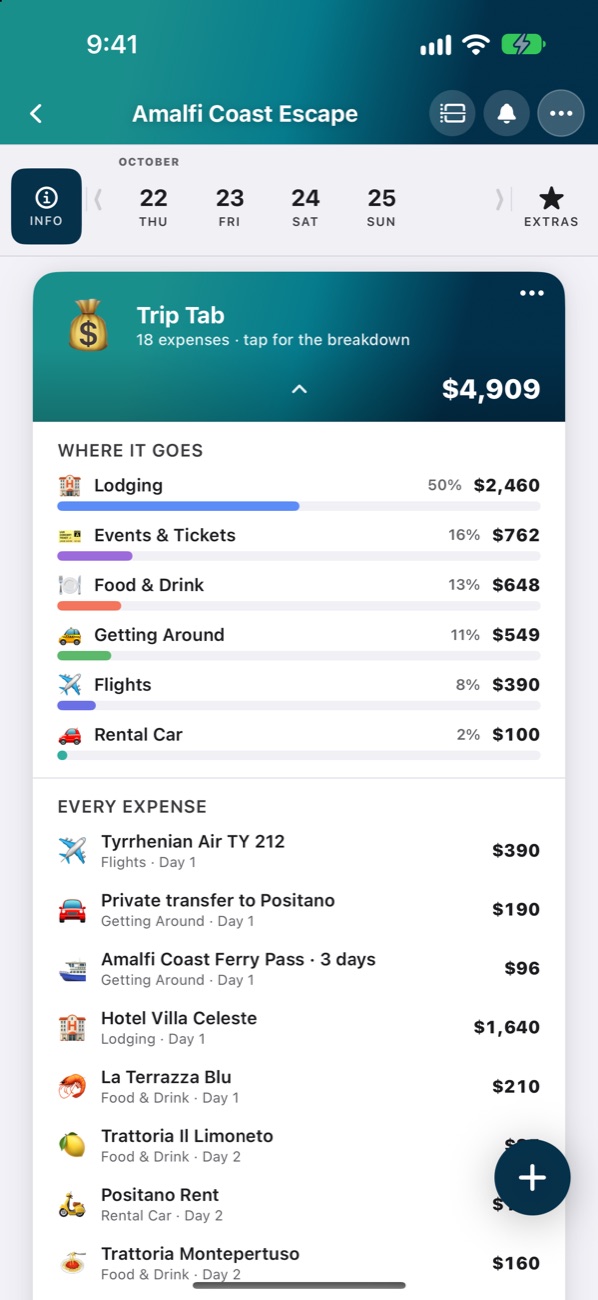
Know what it costs

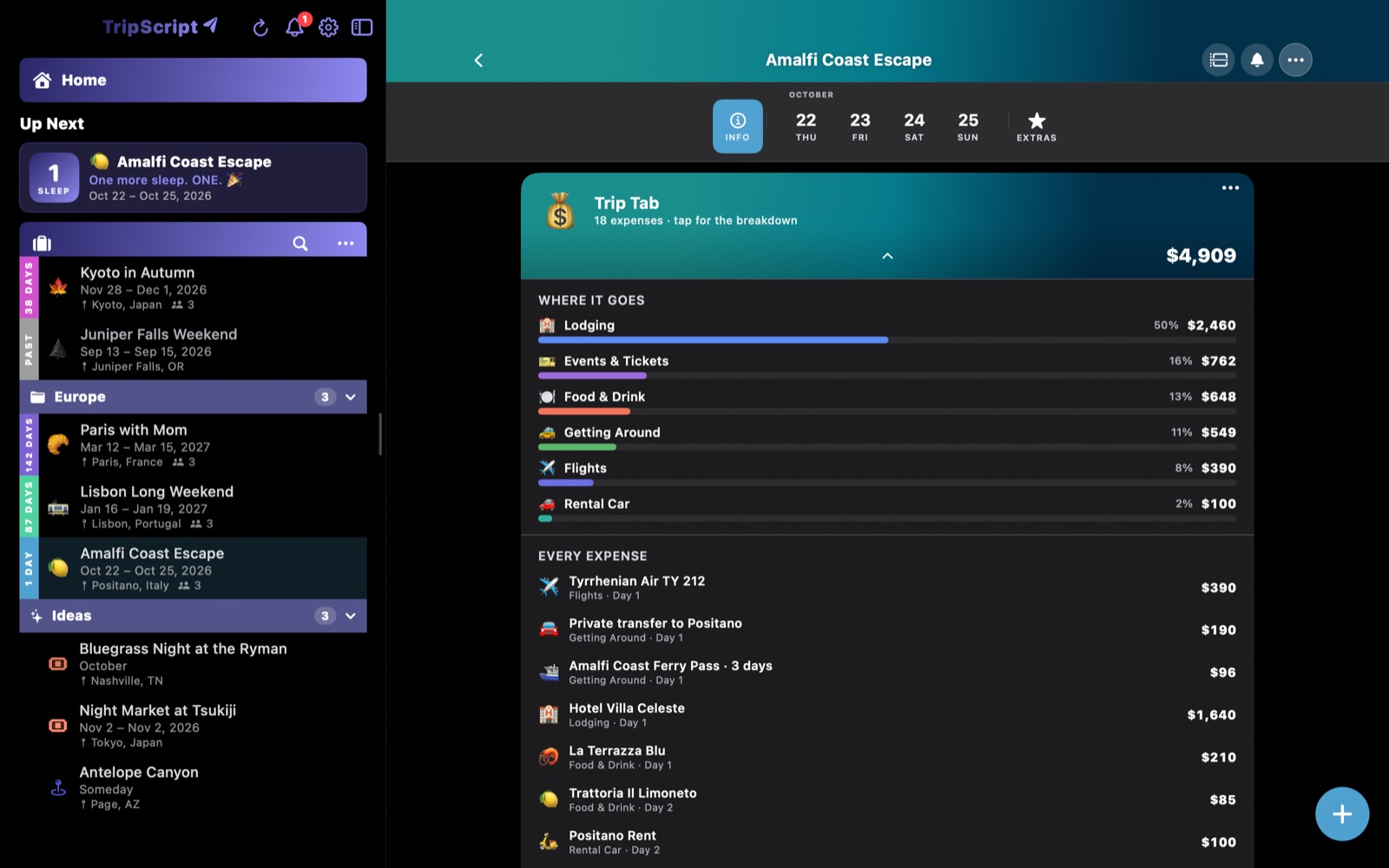
A running total by category and per person, pulled from the bookings you already imported. Export it as a printable PDF.

Post
script
05relive it

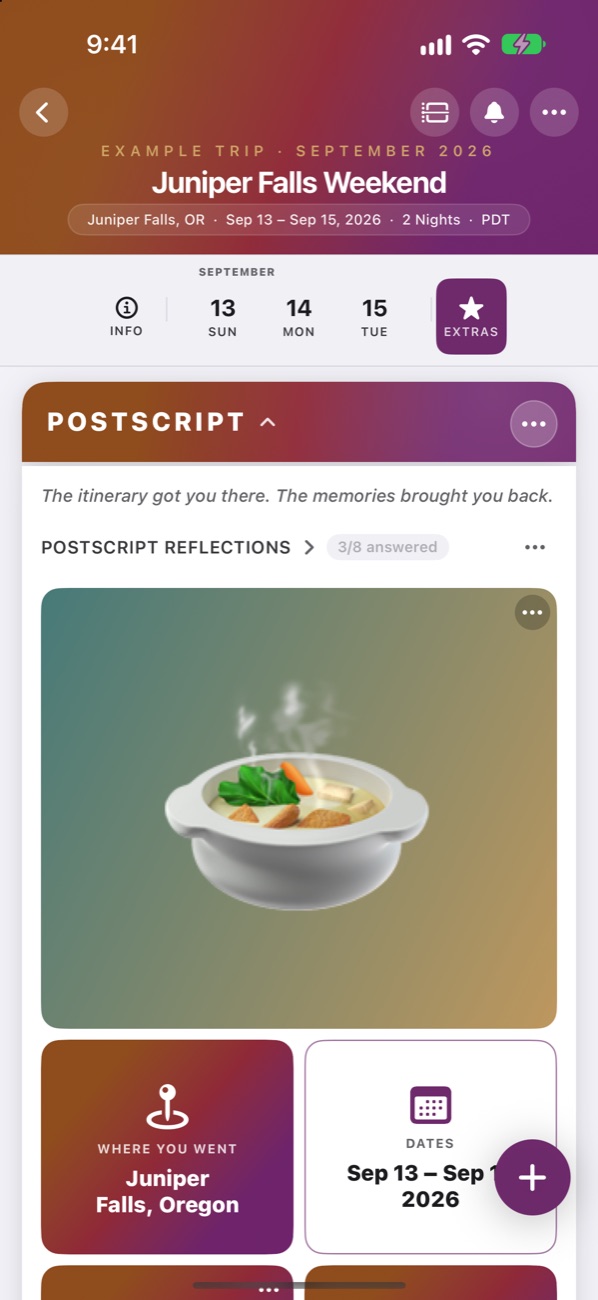
Relive it when you're home

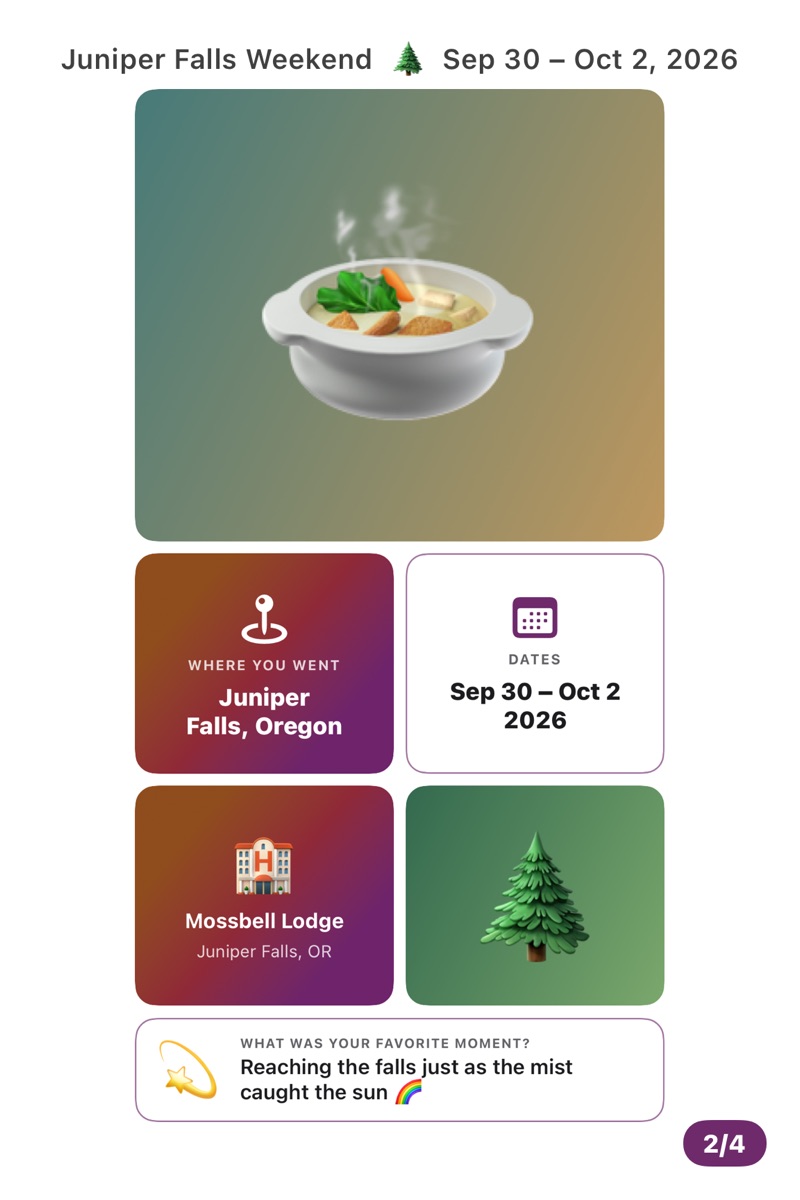
Photos, a journal, fun stats, star ratings, and a map of everywhere you went. Share it as an image or a PDF, or save 4×6 prints ready to AirPrint.

Make it
yours
06yours

Pack it, color it, keep it

Pack for the weather with suggested lists and templates. Trip colors, gradients, cover photos, emoji and Genmoji icons, and the Travel Map that fills in every state and country you've been. Calendar export and JSON backup when you want it out.

Also on the Mac // now on the Mac App Store

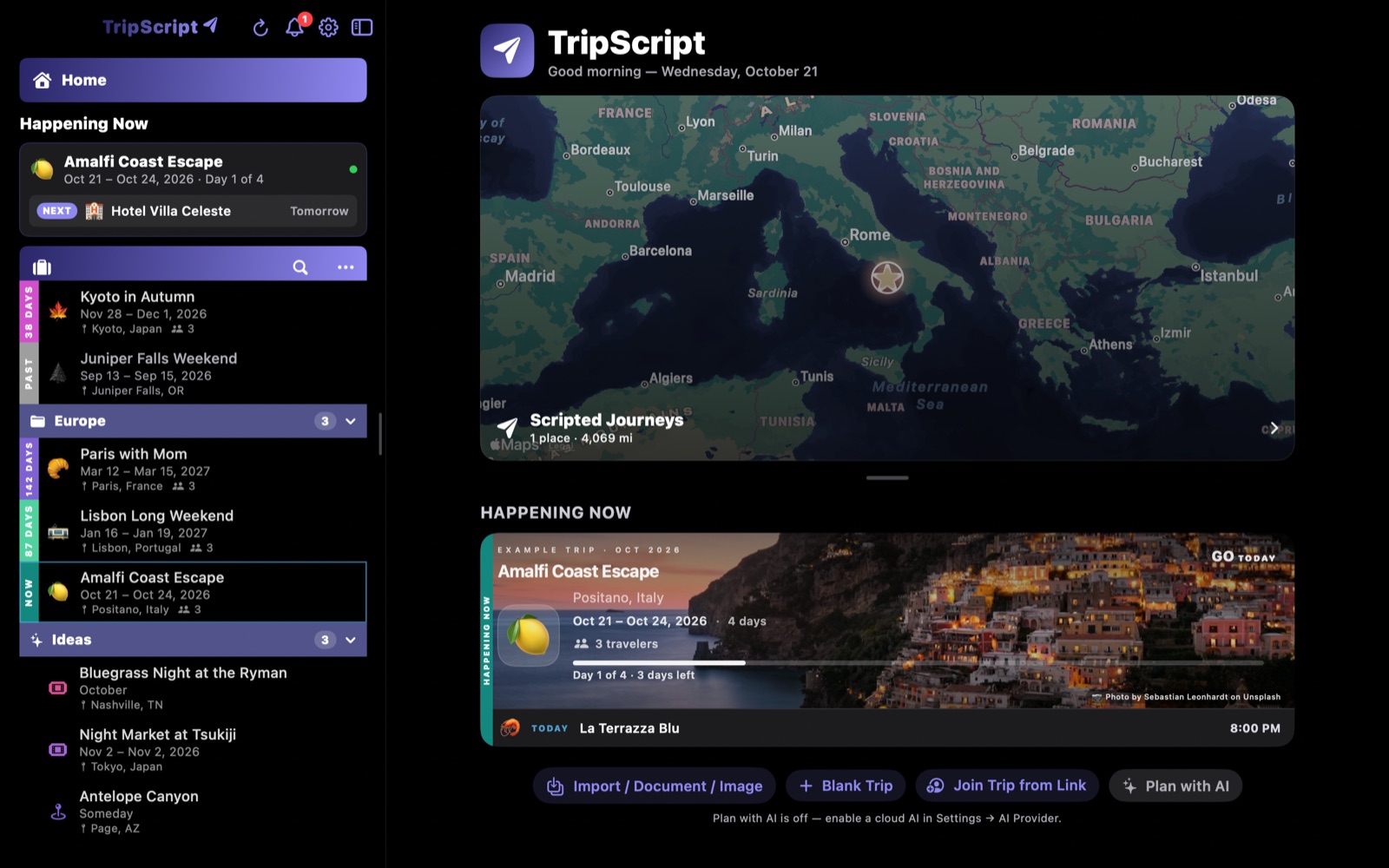
Plan on the big screen.

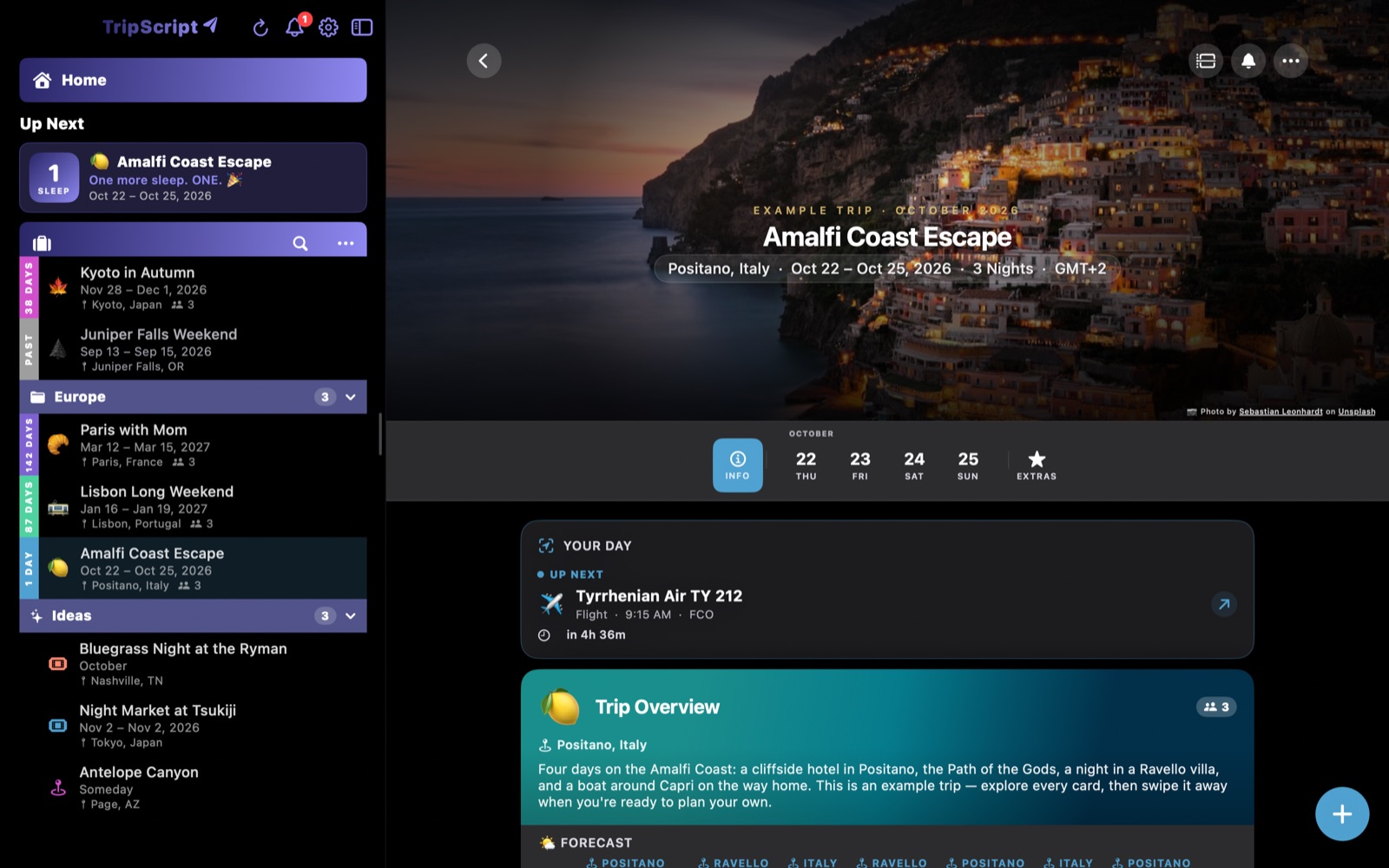
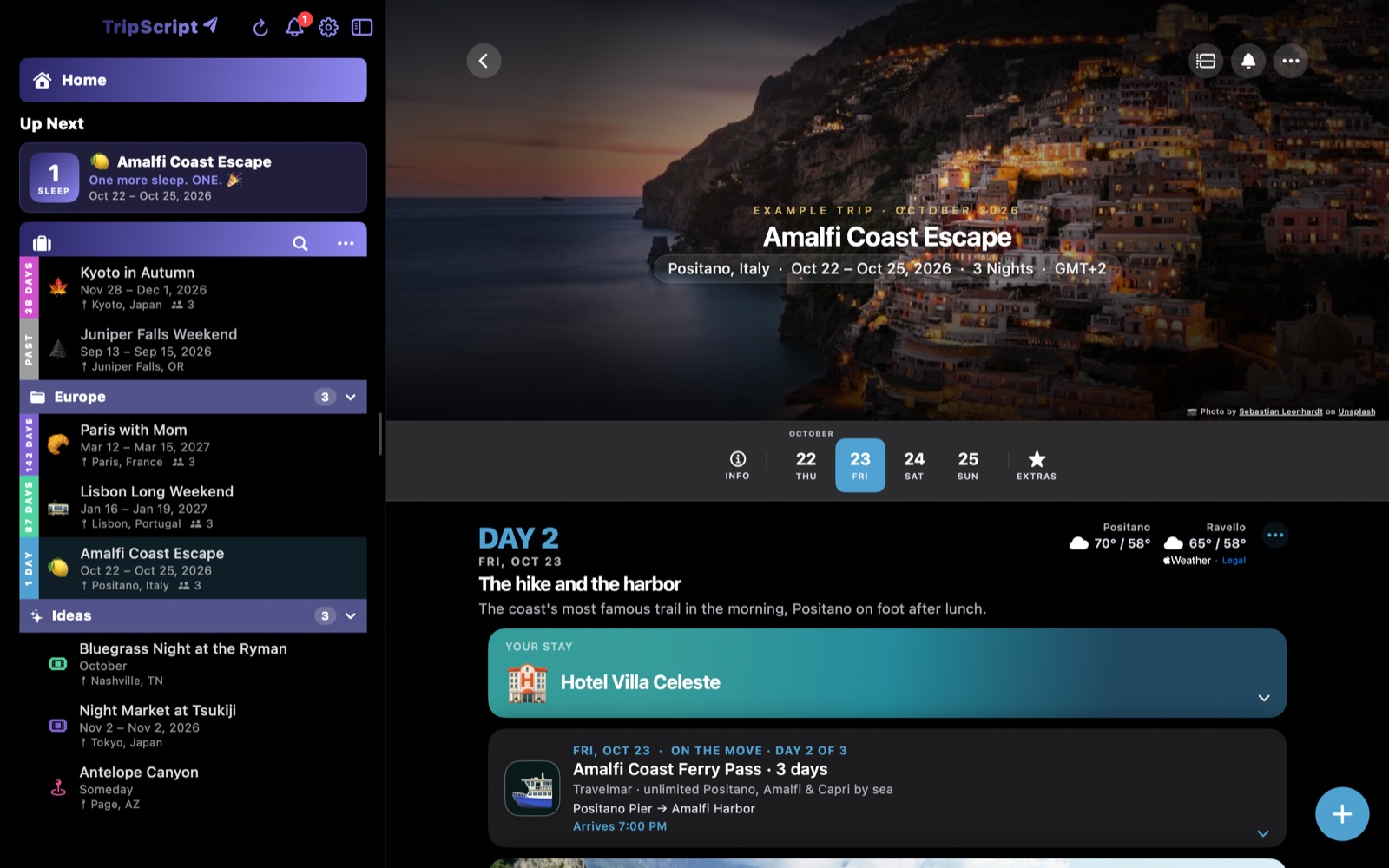
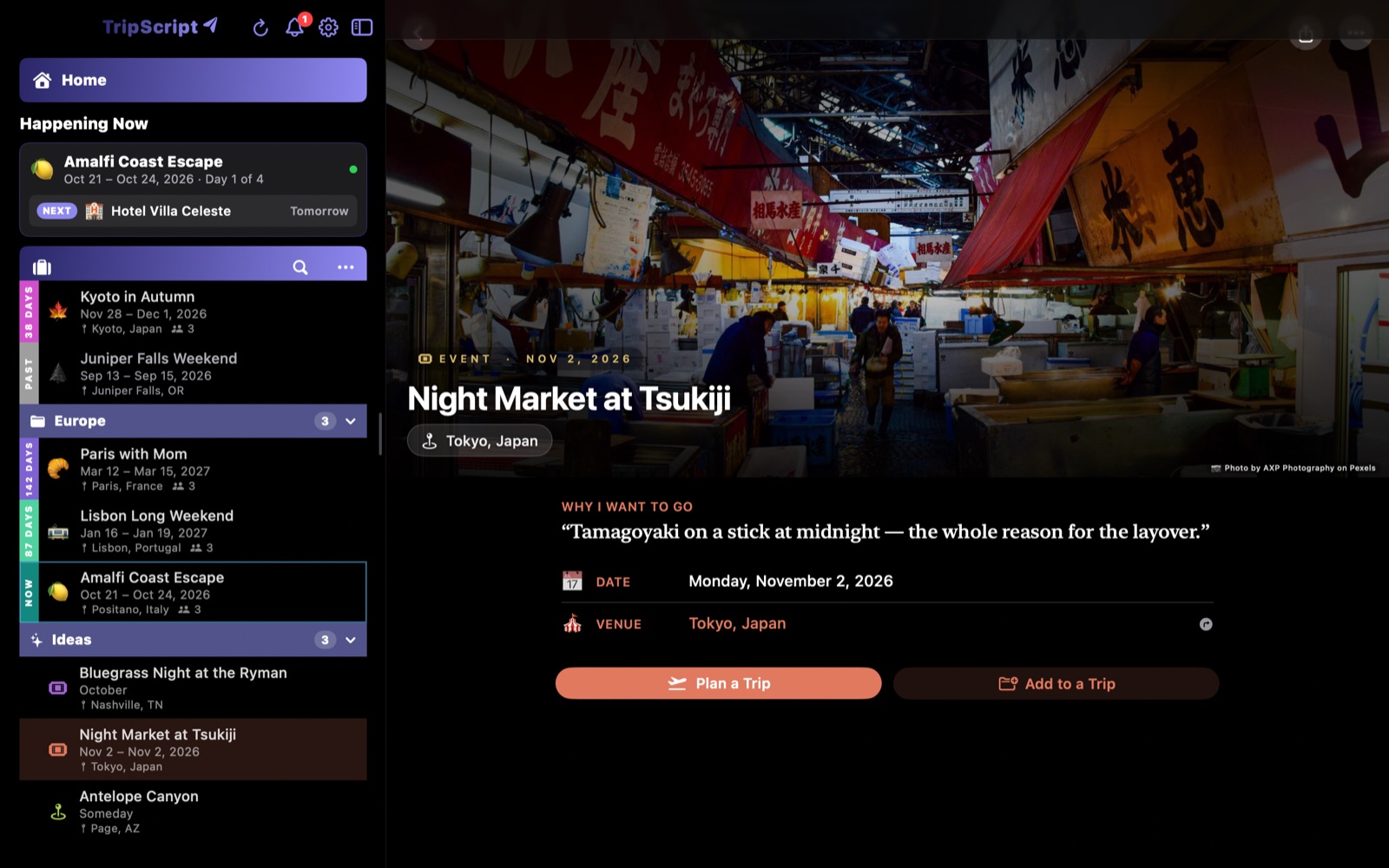
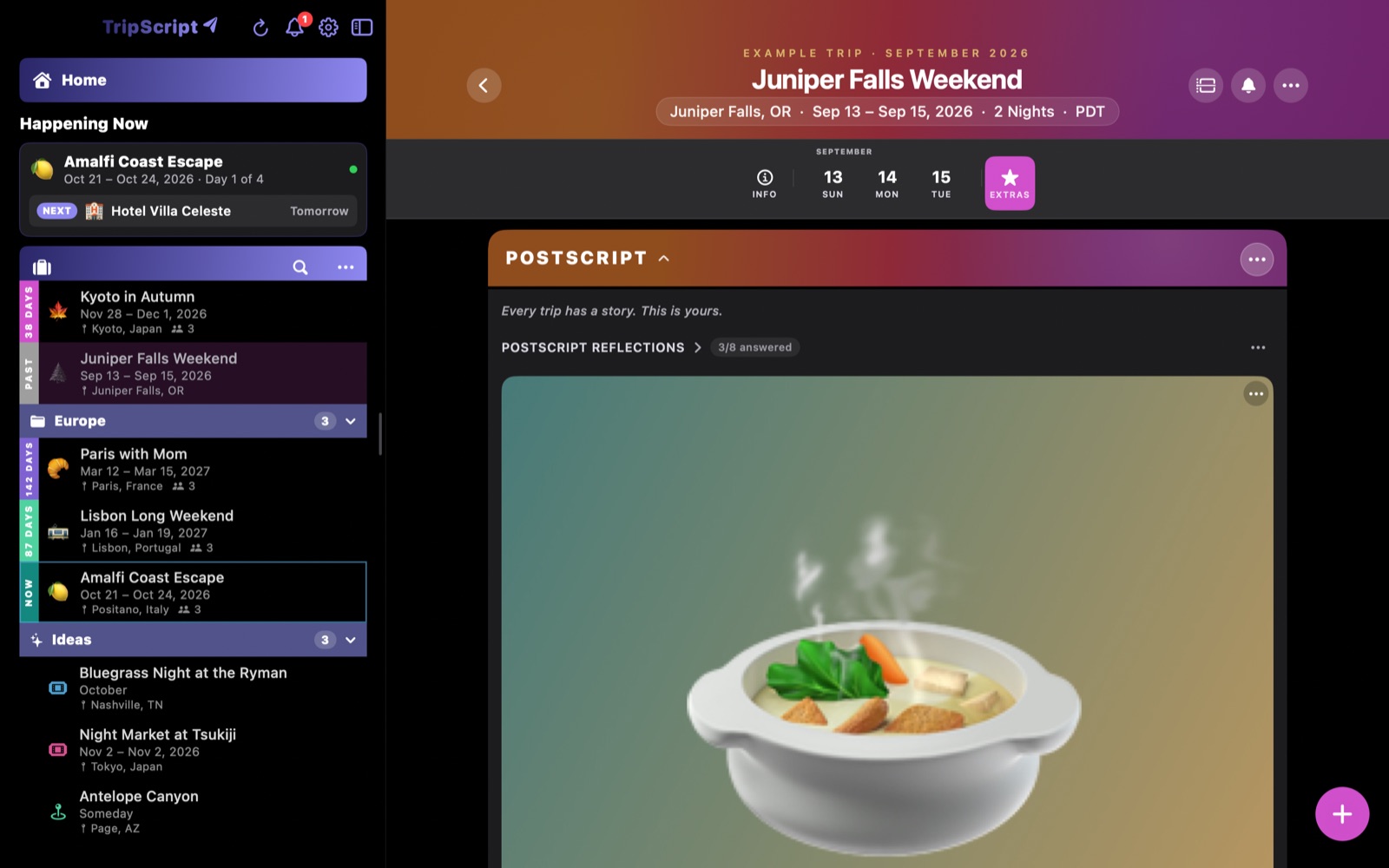
The same trips, synced through iCloud, with a sidebar for every journey and room to see the whole week at once. One purchase covers iPhone, iPad and Mac.

Download on the Mac App Store
TripScript on the Mac: Home with the map and what's happening now Your trip, day by day Trip info with the forecast for each city Day 2: the hike and the harbor A saved idea: the place, a photo, and why you'd go Trip Tab: what the trip costs PostScript recap The travel map
Drop it on the windowDrag a PDF, an email or a screenshot onto TripScript and it reads in the side tray, cards reviewed before they land.
The trip bar, unifiedTrip · Lists · Trip Map · Messages · Settings along the bottom, the same on iPad, Mac and an open iPhone Duo.
Your Mac remembersEvery popover has a close button, every sheet stays inside the window, and the window comes back where you left it.
Free to start

Pro is a one-time purchase.

Everything you need to plan a trip is free. Pro unlocks the extras, once, for every device on your iCloud account: iPhone, iPad and Mac.

TripScript
Free

No account, no subscription, no ads.

  • Import confirmations, PDFs, screenshots and shared links
  • Up to 3 trips, each with a day-by-day timeline
  • Up to 3 saved ideas — events and places for someday
  • Per-city weather and packing suggestions
  • Packing, shopping and custom lists with templates New
  • Now & Next, Live Activity, Apple Watch and widgets
  • Trip Tab cost tracking
  • PostScript recaps and 4×6 prints
  • Join any shared trip and its Trip Messages New
  • iPhone, iPad, Mac and iPhone Duo
TripScript Pro
$9.99once, yours forever

Everything in Free, plus:

  • Email to TripScript: your own forwarding address New
  • AI trip building with your own Claude or ChatGPT key
  • Unlimited trips and saved ideas
  • Invite your crew to plan together
  • Share a trip as a link anyone can open
  • PDF & JSON export
  • Photo banners on any card
  • Genmoji icons
  • Every gradient and custom color

Purchased through the App Store. Restore Purchases lives in Settings.

Privacy

Your trips stay yours.

TripScript has no accounts and runs no servers for your trips. Imports are read by Apple Intelligence, on your device or on Apple’s Private Cloud Compute for long documents, and your data syncs through your own iCloud.

01 · Private AI

Read privately

Apple Intelligence reads your confirmations on your iPhone, iPad, or Mac, and long ones on Apple’s Private Cloud Compute, which keeps nothing. Nothing is sent to us.

02 · Your iCloud

Not our servers

Trips, and Trip Messages, live in your private iCloud. Sharing uses iCloud too, only with the people you invite.

03 · Mail, briefly

Held until collected

Email to TripScript is off until you turn it on. Our inbox holds a forwarded message only until your app picks it up, then deletes it.

04 · Opt-in

Cloud AI is your call

Pro AI building uses your own key and only sends a document when you ask it to. No tracking, ever.

Read the full privacy policy →

Questions

Quick answers.

Does TripScript read my email?

No. You choose what to share with it. Forward or share a confirmation, drop in a PDF or screenshot, or paste the text. TripScript never connects to your mailbox.

How does Email to TripScript work?

Turn it on in Settings and you get a private address like tripscript-xxxx@threeluckystars.com. Forward a booking to it from any mail app, or set up a Gmail filter so confirmations forward themselves. The message waits in our inbox only until your app collects it, then it is deleted from our side and lives on your device. It is a Pro feature.

Is TripScript on the Mac?

Yes. TripScript is on the Mac App Store, with the full sidebar planner, the import side tray and iCloud sync. It is one purchase: Pro bought on your iPhone unlocks on your Mac and iPad too.

What does iPhone Duo support mean?

Closed, TripScript works like it does on any iPhone, with the tab bar in the column beside the camera. Open the Duo sideways and you get the iPad-style planner: a sidebar of trips, the itinerary, and lists or ideas in the main panel.

Does it work without Apple Intelligence?

Yes. Devices without Apple Intelligence use a built-in reader for flights, stays, car rentals, dining and tickets. Apple Intelligence makes the hard cases better.

Is the AI trip builder included?

AI trip building is a Pro feature that uses your own Claude or ChatGPT API key. TripScript ships no keys and never sends anything until you start an AI action.

Can my friends use it without paying?

Yes. Joining a shared trip is always free, including its Trip Messages. Only the person who creates and shares the trip needs Pro.

What happens to my data if I delete the app?

Your trips stay in your iCloud until you remove them. Settings → Trips → Erase Everything wipes them from every device and from iCloud.

Where do I get help?

Email support@threeluckystars.com and a real person will write back. The support page has more.

Somewhere new is calling.

Free on the App Store and the Mac App Store. Every trip has a story. TripScript is how you write it.

Download on the App Store Download on the Mac App Store
iPhone · iPad · Mac · iPhone Duo